
Features
Headroom features
Headroom compresses repetitive input before forwarding requests to Claude Code or ChatGPT Codex. The desktop app manages the local runtime, agent connections, optional add-ons, and usage reporting.
7-day free trial · no credit card required
How it works
Local input compression
Headroom compresses repetitive tool output and context locally before forwarding requests to your coding agent's AI provider. Stored originals remain available through retrieval tools. Savings depend on the content processed.
Beyond compression
Add-ons, project learnings, and activity
Use optional tools to reduce command output and document reads, save reusable project instructions, and inspect recorded optimizations.
Add-ons
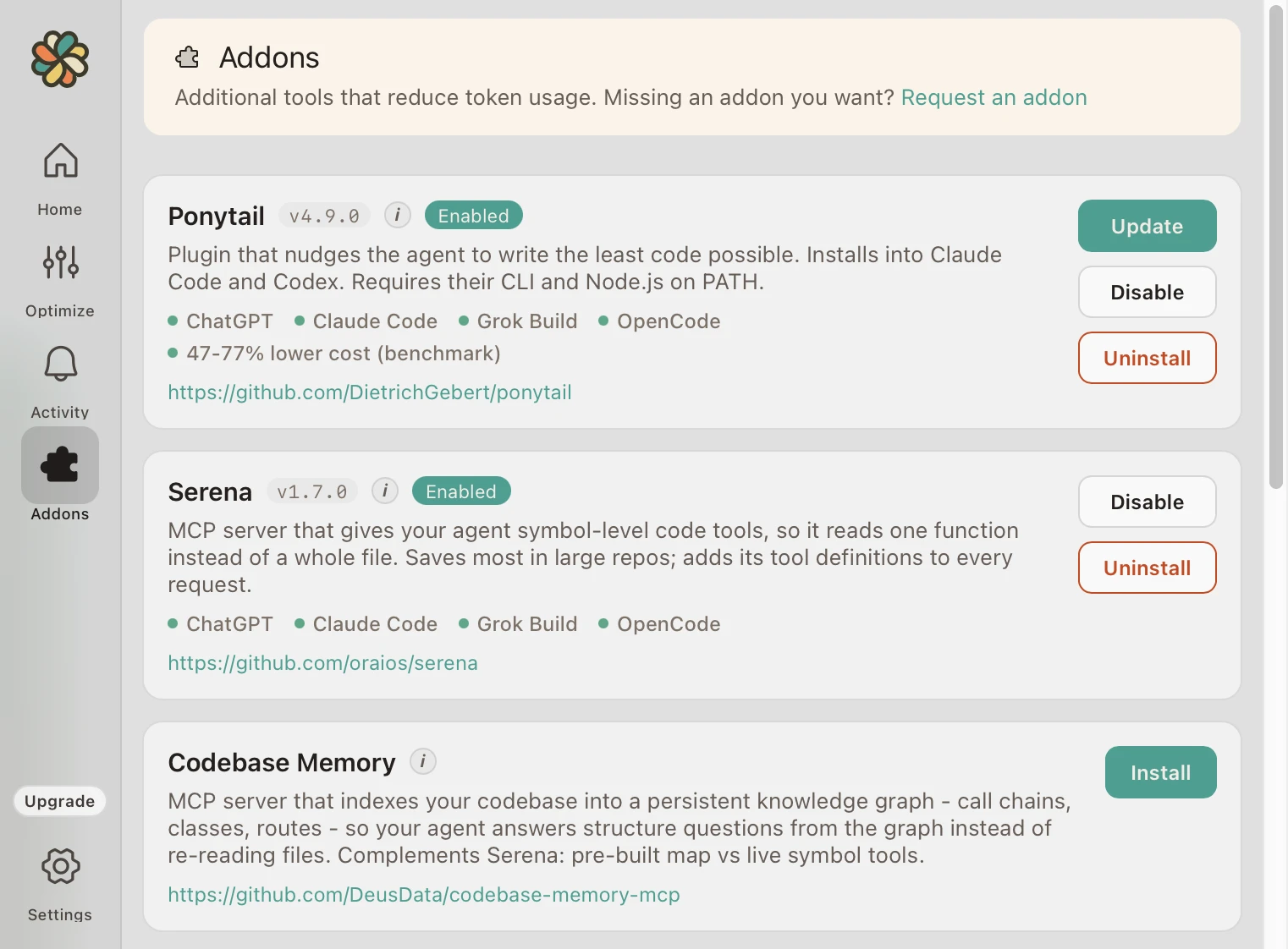
One-click add-ons
Install and enable optional tools from Add-ons. Choose tools for the work you do; core compression works without them.
- RTK: summarizes supported terminal-command output.
- MarkItDown: converts PDF and Office documents to Markdown.
- Serena: provides symbol lookup and targeted code reads.
- Codebase Memory: indexes repository structure and relationships.
- Context7: retrieves version-specific library documentation.
- Ponytail: adds instructions for smaller, simpler implementations.
- Caveman: adds instructions for shorter replies.
See Add-ons for setup steps, prerequisites, and tradeoffs.
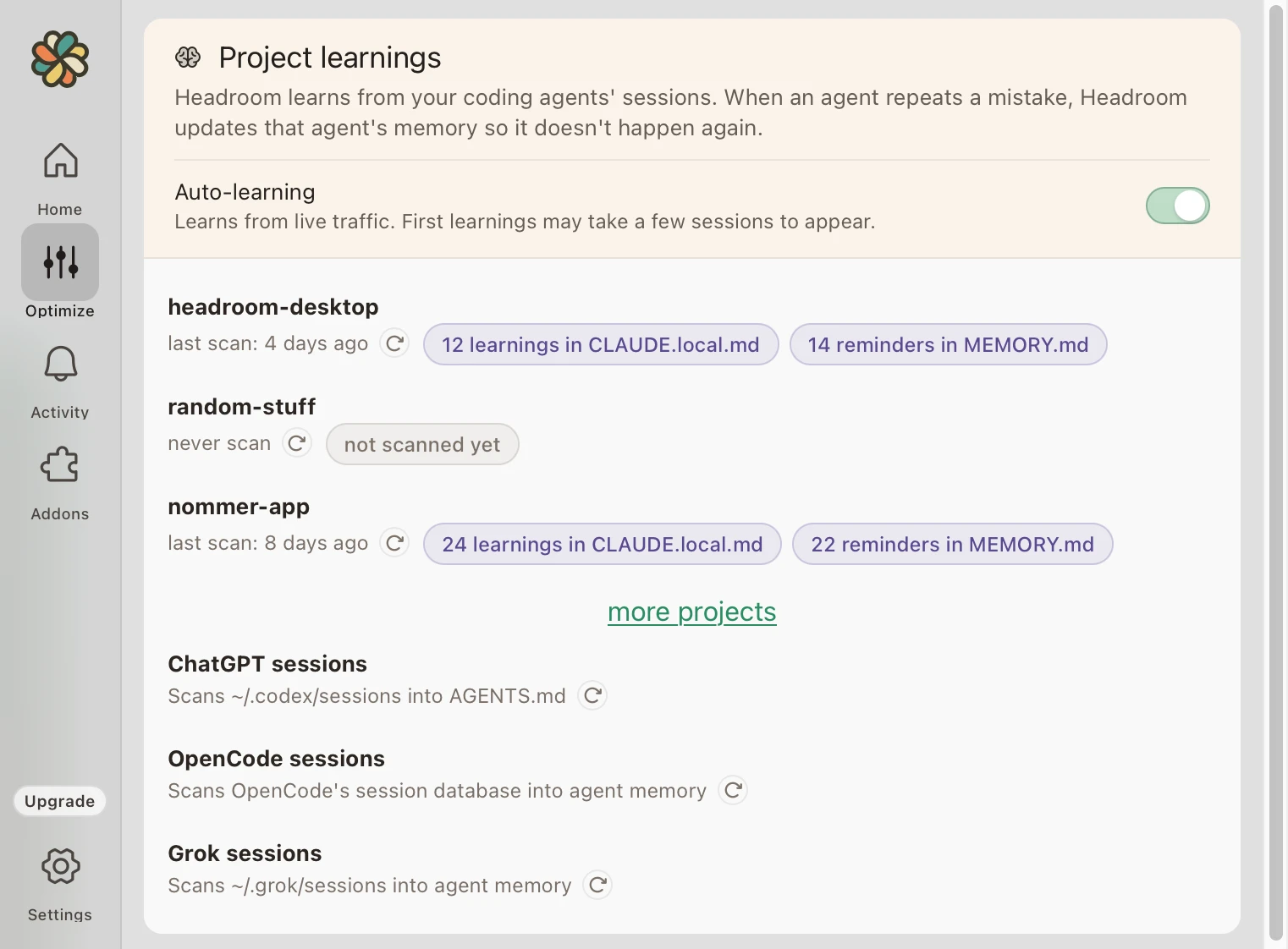
Project learnings
Save project instructions
Headroom scans coding sessions for reusable commands, environment details, and project preferences. It writes saved learnings to the instruction files your agent reads, such as CLAUDE.local.md for Claude Code and ~/.codex/AGENTS.md for Codex.
Use Optimize to review learnings, scan existing session history, and control auto-learning. See the project learnings guide for instructions.
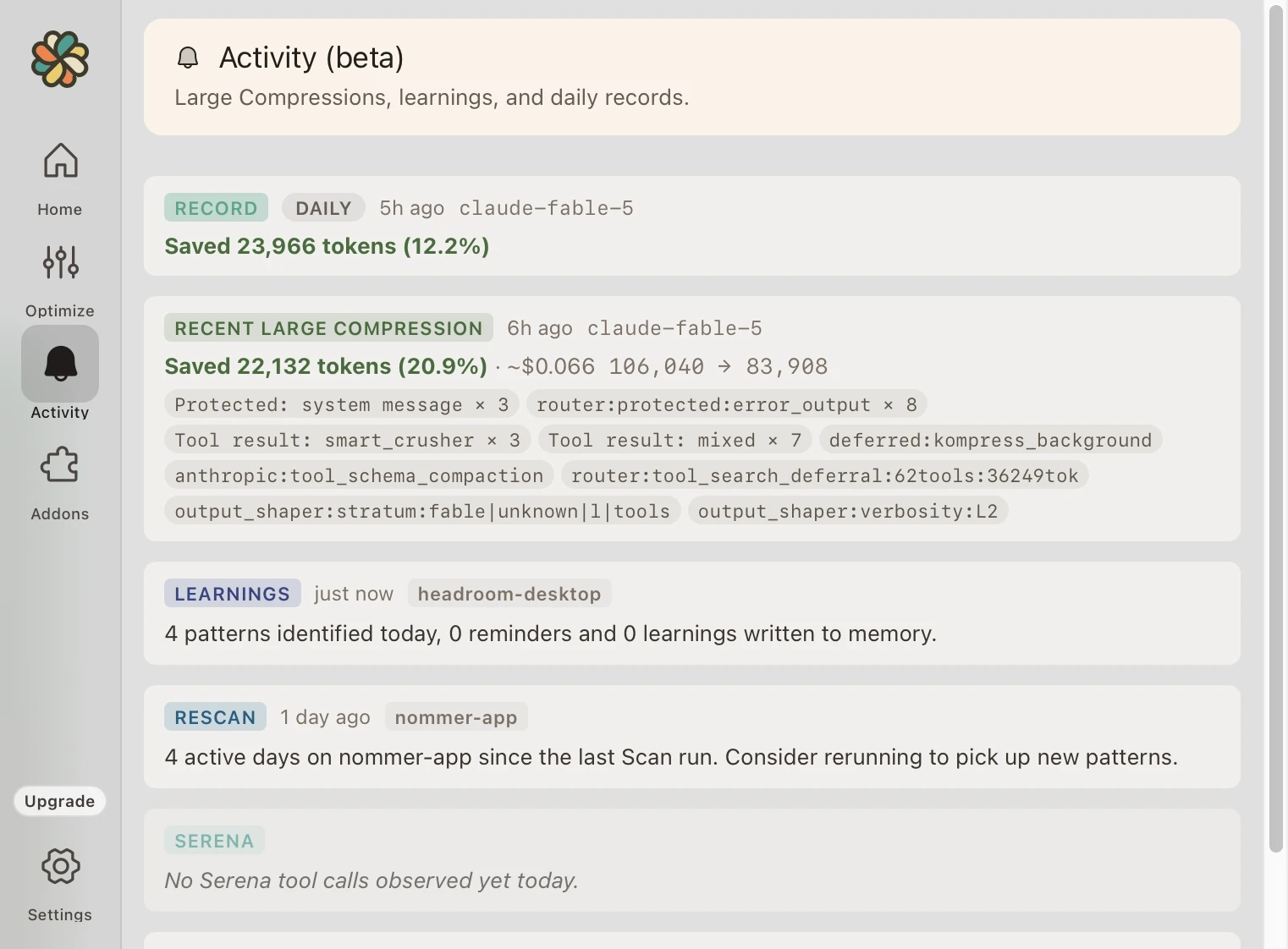
Activity overview
Review recorded activity
Activity lists recorded compressions, learnings, updates, and usage warnings. The dashboard summarizes savings over time. Dollar values represent API-equivalent costs; on a subscription they are not refunds. See how savings are measured.
All local, all private
Get started with Headroom
Compression runs locally before requests are forwarded to your AI provider. Follow the quickstart to install and verify routing, then use the tutorials to configure a workflow. See the privacy policy for data handling details.
Free trial, no credit card required